

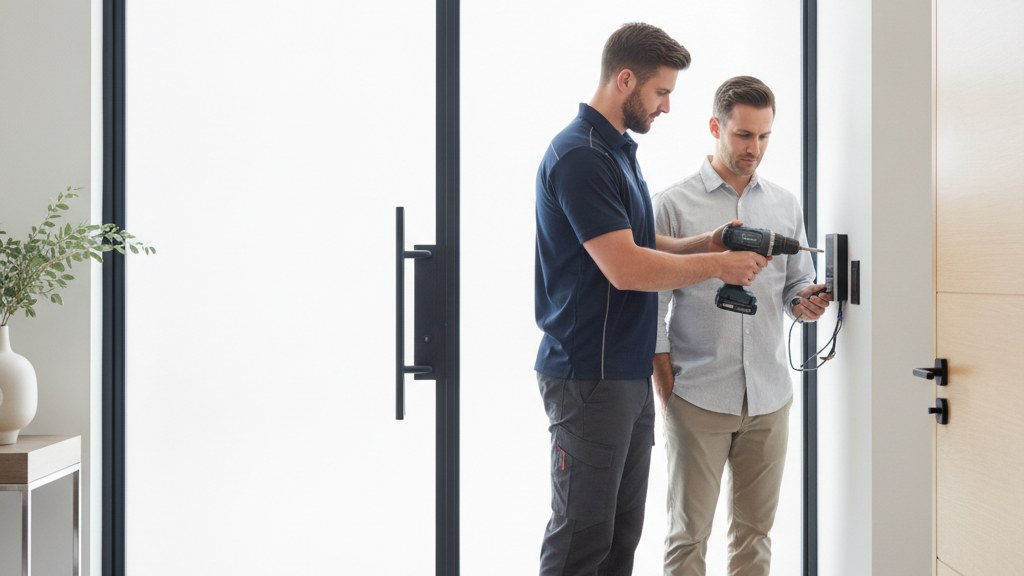
How Does Access Control Installation Work for a Home?
Access control installation gives you a controlled way to decide who can enter your home and when. For most homeowners and renters, the real fix is choosing the right entry method, wiring or powering it correctly, and setting up credentials, logs, and backup access so the system is convenient, not annoying.
What does access control installation actually mean for a home?
For a homeowner or renter, access control installation means turning a regular door into a managed entry point. That sounds technical because it is technical. But the practical result is simple: fewer loose keys, better control over who gets in, and a cleaner way to handle guests, family, or renters.
In residential use, the system can be as simple as a keypad on one door or as layered as a smart lock tied to a phone app. The point is not to make the door “high tech” for its own sake. The point is to control access without depending on a copied key that may already be in the wrong hands.
The common mistake is assuming every setup is the same. It is not. A front door for a single-family home, a basement entry in a rental, and a side door used by cleaners or caregivers all need different levels of entry control. The system should fit the pattern of use, not the other way around.
A good installation also has to account for daily friction. If the code is too annoying, people will write it down. If the app is unreliable, people will bypass it. If the backup plan is vague, you have not improved security. You have just added another failure point.
For residential buyers, the real win is control with less drama. You know who can enter, you can change that access when life changes, and you are not relying on a hidden key or an honor system.
Setup must match the actual door and hardware, not a generic product description.
Entry methods should be easy enough that family members will use them correctly.
Permission changes should be quick when a tenant moves out or a helper stops coming.
Backup access should be planned before the system goes live.
Audit or activity logs help you understand who entered and when, if that feature matters to you.
- Controls who can enter without relying on spare keys
- Works for homes, rentals, and shared entries
- Can use PINs, phone credentials, cards, or fobs
- Should include a backup plan for outages or lockouts
- Needs to match the door, not just the marketing
Which entry methods make sense: keypad, card, phone, or biometric?
The best residential access system is the one people will actually use correctly. That usually means picking the simplest method that still gives you the control you want. Fancy features are easy to buy and surprisingly easy to regret.
Keypads are popular because they are straightforward. A code is easy to share temporarily, easy to remove later, and easy for guests to understand. The tradeoff is that codes can be shared if people are careless, so code hygiene matters.
Card and fob systems are familiar from commercial buildings, which is why some homeowners like them. They are clean to issue and revoke, but they can be another thing to keep track of. If a family already loses keys, they may lose fobs too.
Phone-based entry is attractive when you want remote control and a history of access changes. It works best when everyone in the household is comfortable with the app and the device is reliable. If the household includes kids, guests, or elderly relatives, simplicity matters more than novelty.
Biometric options can sound ideal, but they are not automatically the answer. They can reduce the need to remember a code, yet they still need compatible hardware and a setup that respects the door’s real-world conditions. Do not choose biometrics just because they sound advanced.
The right choice depends on who needs access, how often it changes, and how much convenience you want to trade for management.
Keypads are usually the easiest for temporary and repeat visitors.
Phone credentials can help if you want remote control and change logs.
Cards and fobs suit users who prefer physical credentials over apps.
Biometrics may fit some households, but they require the right hardware and expectations.
- Keypads are simple for guests and temporary access
- Phone credentials help with remote management
- Cards and fobs are useful when you want physical tokens
- Biometrics are not a shortcut if the door or users are a poor fit
- Choose the method based on actual household behavior
What matters more than the app: door hardware, power, and backup entry
The app gets the attention, but the door does the actual work. If the hardware is weak, misaligned, or incompatible, no amount of software will make the entry system reliable.
A proper installation starts with the door itself. The latch, strike alignment, existing lock preparation, and door condition all affect how the system performs. A worn-out door or poorly fitted hardware can make a good system feel bad fast.
Power and connectivity are the next two realities people ignore. Some systems need batteries. Some need wiring. Some depend on Wi-Fi or a hub. You want to know what happens when any of those pieces fail, because failure is not hypothetical. It is part of normal ownership.
Backup entry is not a luxury. It is the difference between a manageable inconvenience and a lockout. Every residential system should answer the same question: if the primary method fails, how do you get in without damaging the door or calling for an emergency fix?
This is where the planning phase matters more than the product page. The install should account for the home’s use pattern, the reliability of the power source, and the people who need access when the owner is away.
Hardware compatibility comes first because bad fit creates failures later.
Battery or wiring needs should be clear before installation starts.
Backup entry should be planned, tested, and easy to explain.
Wi-Fi dependence should be weighed against how much remote control you really need.
Door alignment and latch condition can make or break the experience.
- Door fit and latch alignment affect reliability
- Power source matters more than most buyers realize
- Backup entry should exist before you need it
- Network dependence should match your tolerance for outages
- The door, not the app, is the foundation
Easter’s Lock & Security Solutions has served the Mid-Atlantic since 1953 – residential, commercial, automotive and emergency service.
Book Now / Get a QuoteHow do you manage users, guests, and temporary access without chaos?
Access control gets valuable when it stops being a static lock and starts being a manageable system. The whole point is to make access easy to grant, easy to remove, and hard to forget.
For a house, user management usually means more than one person needs entry. Family members, housemates, babysitters, cleaners, contractors, and guests all create different access needs. A good system lets you set those permissions without turning the door into a shared secret.
Temporary access is where residential systems really earn their keep. You should be able to set a code for a weekend guest, a service appointment, or a short-term rental occupant, then remove it without changing everyone else’s access. That is much cleaner than rekeying every time the guest list changes.
If your setup includes an activity log, use it. Logs are not there to make you paranoid. They are there to answer ordinary questions like whether someone arrived late, whether a code was used, or whether a door was opened when it should not have been.
The mistake is treating access as a one-time install problem. It is an ongoing management problem. The system should make that part easier, not harder.
Household access should reflect real routines, not a theoretical use case.
Temporary permissions should be simple to create and remove.
Logs can help you see how the system is actually being used.
Shared access should not depend on everyone remembering the same code forever.
The system should reduce confusion, not create another thing to monitor.
- Add and remove users without changing the whole system
- Use temporary codes for guests, vendors, or cleaners
- Keep access current when tenants or housemates change
- Review logs if you need visibility into door use
- Avoid systems that force everyone to share one permanent code
Where remote access control software fits and where it does not
Remote access software is useful when you need to manage entry from somewhere else. It is not automatically better. It is better only when the convenience of remote control is worth the extra dependency on software, connectivity, and account management.
In residential use, remote control makes sense when you are away from home often, manage a rental, or need to update access for guests without being on-site. That can be genuinely helpful. You can change permissions, check status, or approve entry without waiting to get back to the door.
But remote control also adds moving parts. You now depend on an app, an account, a network connection, and a device you trust to stay available. If any of those pieces are fragile, the convenience can turn into frustration fast.
That is why some homeowners choose a simpler system with local codes and a basic interface. They do not need constant remote oversight. They need dependable entry and straightforward control. That is not a downgrade. It is a better fit.
Remote management should be selected because it solves an actual problem, not because the feature list looks impressive.
Remote control is valuable when access changes while you are away.
More software means more to manage, secure, and support.
Local-only systems can be the smarter choice for low-complexity homes.
The best system is the one matched to your actual need for oversight.
- Remote access helps when you are off-site often
- It adds software and connectivity dependencies
- Local control may be better for simple homes
- Choose remote features only if you will use them
- The feature should match the job, not the brochure
What should a residential buyer check before the installation day?
The day before installation is when good decisions save time. If you know what the installer needs and what the door can support, the job is smoother and the result is more dependable.
You should know what kind of door you have, what hardware is already installed, and whether there are any issues with sticking, sagging, or previous patchwork repairs. Those details matter because they affect fit and performance.
It also helps to decide who needs access before the work begins. If the system will serve family, guests, or renters, the permissions should be thought through early. That keeps the setup from being rushed on the day of installation.
Ask about backup entry, battery replacement, credential management, and what happens if a phone is lost or a code needs to be changed. Those are not edge cases. They are the things that eventually happen in real life.
A good installer should be able to explain the setup in plain English and make sure you understand how to use it before leaving. If the explanation is vague, the system will be, too.
Know the door condition before the install starts.
Decide who needs access and for how long.
Ask how backup entry works before anything is mounted.
Understand how to change codes or revoke access later.
Make sure the final setup is simple enough for everyone who uses it.
- Check door condition and existing hardware first
- Map out users before installation day
- Plan for lost phones, forgotten codes, and outages
- Ask for a plain-English walkthrough at the end
- Do not accept a system nobody can explain
When the problem is the door, the credentials, or the management
| Situation | What to do | Why |
|---|---|---|
| The door is hard to use, sticks, or misaligns after the lock change | Correct the hardware fit and door condition before adding advanced controls | A poor physical setup will undermine every access feature you install |
| You keep handing out keys or codes and then losing track of them | Use a managed credential system with easy add and revoke controls | Entry control only works if permissions can be changed quickly and cleanly |
| You want to let guests or vendors in without being on-site | Choose a remote-capable system with account-based access management | Remote control is useful when you actually need off-site changes and approvals |
| You need basic, dependable entry more than app features | Use a simpler keypad or standalone setup with clear backup access | Lower complexity usually means fewer failure points and less frustration |
Doing it yourself vs bringing in Easter’s Lock & Security Solutions
| Doing it yourself | With Easter’s Lock & Security Solutions | |
|---|---|---|
| Door evaluation | You have to figure out the door condition, compatibility, and whether the hardware will actually work together. | We assess the door, the existing hardware, and the entry pattern before recommending a setup. |
| Installation quality | You are responsible for alignment, fit, programming, and testing every part yourself. | We handle the installation and make sure the system works as intended at the door, not just on the package. |
| User setup | You have to add users, manage credentials, and figure out backup access on your own. | We set up the system so access is organized and easier to manage from day one. |
| Support when something goes wrong | If a code fails, a device dies, or the door stops behaving, you are troubleshooting alone. | With Easter’s Lock & Security Solutions, you have an experienced locksmith and security team to call back in when you need help. |
Frequently Asked Questions
How is access control different from a regular smart lock?
A smart lock is one piece of residential access control. Access control is the broader system for deciding who gets in, how they get in, and how permissions are managed over time. For some homes, a smart lock is enough. For others, the right answer includes better user management, temporary access, or remote administration.
What is the most important part of access control installation for a home?
The most important part is fit. The door, latch, power source, and access method all have to work together. If the physical setup is wrong, the software will not save it. A clean installation starts with the door and ends with simple, reliable use for the people who live there.
Can I use access control for a rental property or shared house?
Yes. That is one of the best use cases. A managed system makes it easier to add and remove tenants, guests, cleaners, or family members without changing the whole lock every time. It also gives you a cleaner way to handle temporary access and reduce key confusion.
How much does access control installation cost?
It depends on the door, the hardware, the entry method, and whether you want remote management or a simpler local setup. The right way to price it is to assess the site first and match the system to your needs. Book a call for a custom quote based on your home and goals.
Why should I call Easter’s Lock & Security Solutions for this?
Because this is not new territory for us. Easter’s Lock & Security Solutions has been serving the Mid-Atlantic since 1953, and Robert Easter brings deep locksmith and security credentials to residential, commercial, and regulated work. If you want help choosing and installing the right setup, book a call and get a quote.
Need a locksmith in the Baltimore area?
Easter’s Lock & Security Solutions has served the Mid-Atlantic since 1953 – residential, commercial, automotive and emergency service.
Book Now / Get a QuoteCall (410) 825-3535Last updated November 9, 2026