

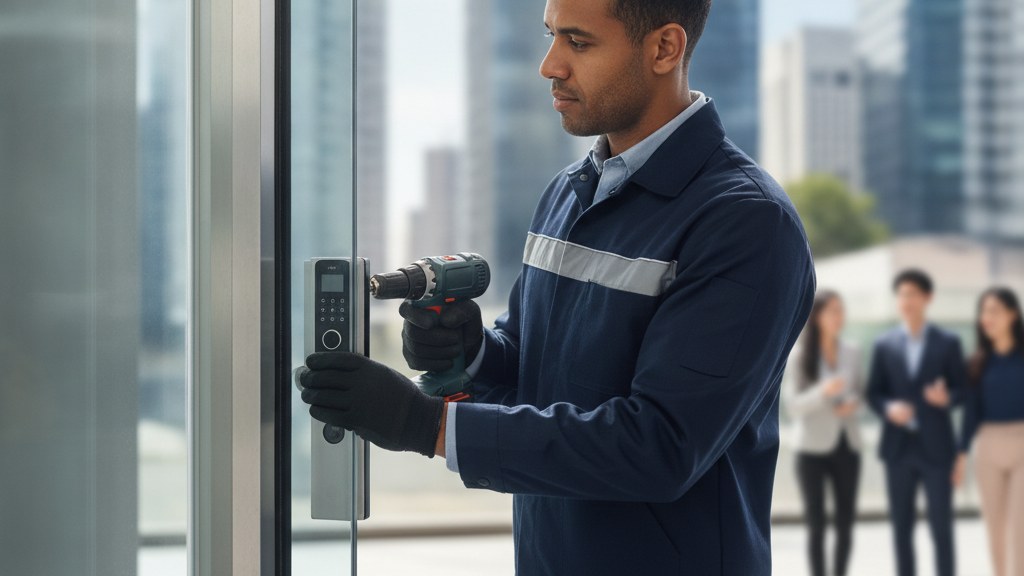
What Should You Know Before Choosing a Cloud Based Access Control System?
A cloud based access control system lets you manage doors, users, schedules, and activity logs through an internet-connected platform instead of on-site software alone. The real win is control and visibility, but the installation still has to match the doors, locks, network, and security policy. That is where a qualified locksmith matters.
What does cloud access control actually include?
A cloud access control system is not just software with a fancy name. It is the combination of door hardware, credentials, controllers, and an online dashboard that manages who can enter and when.
If you only think about the app, you miss the part that actually keeps the door secure. The cloud platform is where you add users, set permissions, review logs, and adjust schedules. The physical layer is the reader, lock, strike, controller, and often power or network equipment.
For a homeowner, that might mean replacing a stand-alone lock with a connected solution for a front door, side door, or shared entry. For a renter, the reality is more limited because the landlord or property manager usually controls what can be installed and what can be changed.
The reason this matters is simple: access control is not only about convenience. It is about who can enter, when they can enter, and what record exists after the fact. If the hardware and the software do not match the door, the system will be annoying at best and unreliable at worst.
When buyers ask about cloud access control, they are usually asking for less key chaos and more control. Fair. But the real answer starts with the door, not the dashboard.
- Cloud dashboard for user and schedule changes
- Door hardware such as readers, locks, and controllers
- Credentials like mobile access, cards, or fobs
- Event logs that show entry activity
- Connectivity that allows remote administration
Why do buyers move access control to the cloud?
People do it because keys are blunt instruments and permission changes are never as simple as they should be. The cloud makes day-to-day access changes easier to manage without waiting for someone to be on site.
The common pain point is turnover. A roommate moves out. A contractor finishes the job. A cleaning service only needs access on certain days. If your system requires a physical visit every time permissions change, you are already losing time and control.
Cloud management is also useful when there are multiple decision-makers. One person can grant access, another can review logs, and a third can tighten permissions without everyone passing around keys or codes. That is the part owners actually want: less friction, fewer loose ends.
There is also a basic accountability issue. A traditional key gives access, but it does not tell you who used it. A cloud system can create an audit trail that is far more useful when you need to review an incident or verify access timing.
Still, the cloud is not magic. If the door, latch, strike, or network setup is sloppy, remote control just gives you faster access to a sloppy system. Convenient, yes. Secure, only if the installation is right.
- Faster permission changes for changing households
- Less dependence on physical key handoffs
- Central control for multiple entries or users
- Audit trails for better visibility
- Reduced confusion when access needs change often
How does a cloud system differ from a stand-alone smart lock?
This is where people confuse one door convenience with a real access plan. A smart lock is useful, but it is not the same thing as managing a full entry system from the cloud.
A smart lock usually serves one door and one immediate purpose: make that door easier to open without a traditional key. Cloud access control goes further by organizing users, schedules, and records across one or more doors from a central interface.
That difference matters if you have a front door, side entrance, basement access, or shared entry that all need different rules. A stand-alone lock can help, but it can also create a patchwork of apps, codes, and habits that are hard to maintain.
Cloud-based systems are generally built for ongoing management. If someone loses access, you remove it in the system. If someone needs temporary entry, you assign it for the right window. That is a different job than simply installing a lock with a keypad or phone app.
For a homeowner, the right answer may still be a smart lock on one door. The point is to choose the right level of control instead of forcing a single-device solution to do a multi-door job.
- Smart lock: often one door and one credential set
- Cloud access control: centralized management across users and doors
- Cloud systems usually provide better logging
- Stand-alone locks may be enough for simpler homes
- Multi-user or multi-door setups often need more structure
Easter’s Lock & Security Solutions has served the Mid-Atlantic since 1953 – residential, commercial, automotive and emergency service.
Book Now / Get a QuoteWhat should be checked before you buy the hardware?
The biggest mistake is shopping for software before confirming the door can actually support it. A proper site check protects you from buying a system that does not fit the building.
Start with the door itself. Is the frame solid? Does the latch align? Is there existing wiring? Does the door need a different lock type or reinforcement before any electronic hardware makes sense? These are not minor details. They decide whether the project is straightforward or a repair job with a software layer on top.
Then look at power and connectivity. Some systems rely on network access and local components that have to be placed correctly. If the signal is weak or the controller is installed carelessly, you will blame the cloud when the real problem is the physical install.
Next is policy. Who gets access? Do you need temporary permissions, always-on access, or time-based entry? If you do not define the rules before installation, the system may work technically but fail operationally.
This is why a qualified locksmith is more useful here than a random gadget installer. The goal is not to mount hardware. The goal is to make the door secure, usable, and manageable in real life.
- Door condition and frame alignment
- Hardware compatibility with the entry type
- Power and network requirements
- Permission rules and user policies
- Need for future service or expansion
Which features matter most for a home setup?
For residential use, fancy features are less important than the few that actually reduce daily friction. If the system is hard to manage, people stop using it correctly and security gets sloppy.
Mobile access is useful when you want to avoid physical keys or codes. Temporary access is useful when a relative, cleaner, or contractor needs entry for a limited time. Event logs matter because they help you understand what happened when something seems off.
Some homeowners also want a simple way to manage multiple doors. That can be especially helpful on side entries, garage access, or shared home spaces. But again, the right system depends on the door and the way you actually live, not on a feature checklist pulled from a product page.
The best residential setups usually keep the interface simple. You should be able to add a user, remove a user, and review activity without needing to relearn the whole system every month. Complicated software often creates more support calls than security value.
If you are a renter, the feature list gets filtered by what is allowed. In that case, the first conversation is usually not about bells and whistles. It is about what can be installed legally and safely without creating a lease problem.
- Mobile entry for convenient daily use
- Temporary credentials for visitors or contractors
- Event history for accountability
- Simple user management for households
- Compatibility with landlord or property rules
What does the installation and handoff usually involve?
A good installation is not just hardware on a door. It is setup, testing, user training, and making sure the people who live there can actually use the system without confusion.
The first step is usually confirming the door and choosing the right equipment. After that comes installation, programming, and testing. If the system is cloud-managed, the dashboard has to be configured correctly so users, schedules, and permissions behave the way they should.
Then comes the part that gets ignored too often: handoff. Someone has to know how to add a user, revoke access, review logs, and respond when the network is down or a credential is lost. If nobody knows those basics, the system becomes a fancy problem instead of a useful tool.
A clean handoff also reduces mistakes later. People stop sharing codes casually. They know who has admin rights. They understand what to do when access needs to change. That is what makes the system sustainable instead of temporary.
This is where experience matters. The person installing the system should understand both the security side and the door hardware side. If they only know one, you usually end up fixing the other.
- Confirm door and hardware fit before work starts
- Install and test readers, controllers, and locks
- Set up users, schedules, and admin access
- Train occupants on basic changes and log review
- Plan for troubleshooting and future updates
What problems show up when cloud access is done poorly?
Bad installs do not always fail dramatically. More often, they fail in small, annoying ways that make the system harder to trust than the old key ever was.
The most common problem is inconsistent behavior. A user should have access but cannot get in. Another user should not have access but still can. That usually points to a bad setup, weak policy design, or poor door hardware integration rather than a cloud problem in the abstract.
Another issue is support drift. Someone installs the system, leaves, and nobody on site knows how to maintain it. When that happens, the owner is left with a login and a headache. Cloud control is only useful if someone can manage it properly after installation.
There is also the hidden cost of overcomplication. If the system is too complex for the household, people work around it. They share codes, leave doors propped, or stop using the features that were supposed to improve security in the first place.
The fix is not more software. It is a better match between the door, the hardware, the access rules, and the people who actually use it. That is the part buyers tend to skip, and then wonder why the system feels annoying.
- Misconfigured permissions
- Door hardware that does not match the system
- No clear admin ownership
- Overly complex user setup
- Weak adoption because the workflow is clumsy
When a cloud access control system is the right move
| Situation | What to do | Why |
|---|---|---|
| You keep reissuing keys or codes when people move in and out. | Use centralized permissions with quick add and remove controls. | That cuts down on key handoffs and makes access changes easier to manage. |
| You need to know who entered and when. | Choose a system with audit trails and user activity logs. | Entry records help you review access after an incident or policy question. |
| One door is easy, but multiple entries are getting messy. | Look for a cloud platform that can manage several doors from one place. | Central control is the main reason buyers move beyond a single smart lock. |
| The door is old, awkward, or already giving you trouble. | Have the hardware, frame, and power situation evaluated before buying. | A cloud platform cannot fix a bad door, and forcing it usually creates more problems. |
Doing it yourself vs bringing in Easter’s Lock & Security Solutions
| Doing it yourself | With Easter’s Lock & Security Solutions | |
|---|---|---|
| Door and hardware fit | You have to guess whether the lock, reader, controller, and door condition all work together. | We evaluate the door, hardware, and security needs before recommending a setup. |
| Permission setup | You are responsible for creating users, schedules, and admin rules without missing anything. | We help configure the system so access rules match how the property is actually used. |
| Troubleshooting | If access fails, you have to sort out whether the issue is the network, hardware, or settings. | We understand both locksmithing and physical security, so we can trace the issue more efficiently. |
| Long-term support | You are stuck maintaining the system yourself after the initial install. | We can support the hardware and security side after installation, which matters when the door needs service later. |
Frequently Asked Questions
What is the main advantage of a cloud based access control system?
The biggest advantage is centralized control. You can update users, schedules, and access rights from one dashboard instead of dealing with keys or local-only programming every time something changes. For a homeowner, that usually means less confusion and better visibility over who can enter and when.
Is a cloud access control system secure enough for a house?
It can be, if the door hardware, credentials, admin settings, and network setup are done correctly. Security is not just the app. It is the whole door system. If the install is sloppy, the platform will not save you from the weak link.
Can I use cloud-based access control on a rental property?
Sometimes, but the landlord or property manager usually has to approve the hardware and any changes to the door. Renters should be careful not to create lease or building-code issues. The right first step is to confirm what is allowed before buying anything.
What should I ask before getting a quote?
Ask whether the existing door can support the system, what kind of credentials are available, whether logs are included, and whether the setup can handle one door or multiple entries. Those answers shape the quote far more than brand names do.
How do I get help choosing the right setup?
Book a call and talk through the door, the property layout, and how you want access to work. Easter’s Lock & Security Solutions can review the hardware, explain the options, and provide a custom quote based on the actual site, not a guess.
Need a locksmith in the Baltimore area?
Easter’s Lock & Security Solutions has served the Mid-Atlantic since 1953 – residential, commercial, automotive and emergency service.
Book Now / Get a QuoteCall (410) 825-3535Last updated October 18, 2026