

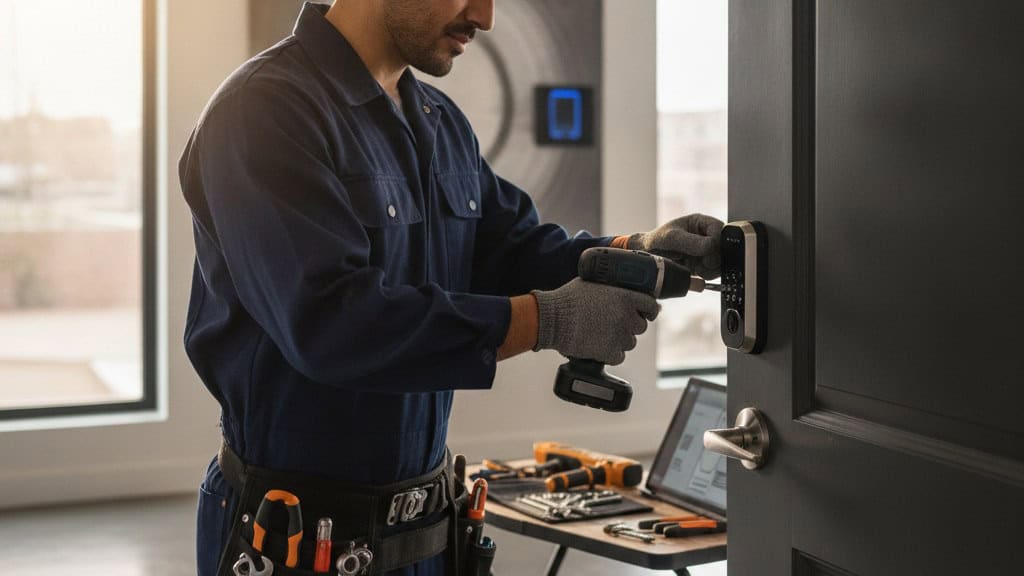
What Is MyKey, and How Does It Work with Smart Locks?
What is myKey? In most residential security contexts, it refers to a key-management or smart-access feature tied to a lock, app, or platform, not a single universal product. The real fix is to identify the exact lock or system first, then check enrollment, permissions, and whether the issue is in the device, the app, or the user setup.
What does MyKey actually mean on a residential lock?
MyKey usually points to a specific access feature, not a generic locksmith term. In practice, it may be a branded key system, a digital credential, or a lock feature that controls entry through an app, code, or managed permission set.
That matters because people search the name assuming there is one standard meaning. There is not. The first job is to identify whether you are dealing with a traditional keyed lock, a smart lock, or a vehicle-style or platform-specific credential system.
Once you know the category, the troubleshooting changes. A mechanical key problem is not the same as a permission problem, and an app sync issue is not the same as a dead battery or a bad cylinder.
For homeowners and renters, the practical question is simple: who can enter, how is that access granted, and what happens when you need to change it? That is the real function behind most MyKey searches.
The fastest way to stop guessing is to match the product name to the hardware. Read the label, check the lock body, open the app if one exists, and confirm whether MyKey is a feature name, an account name, or a lock brand term.
If you cannot identify it cleanly, do not keep cycling through random reset steps. That is how people lock themselves out of a fix that was already simple.
- Check the lock brand and model before you troubleshoot.
- Look for an app, keypad, or admin credential tied to the system.
- Separate the physical key from the digital permission.
- Treat the name as a label until you confirm the actual device.
- If the setup is unclear, document the hardware before changing anything.
How do you tell whether MyKey is a physical key, code, or app feature?
The clue is in the way the door opens. If it uses a cut metal key, you are in mechanical territory. If it uses a PIN, phone, or shared credential, you are dealing with a smart-access layer that works very differently.
A physical key is straightforward. It either matches the lock or it does not. MyKey language can become confusing when a brand overlays an access feature on top of normal lock hardware, because the user interface may feel digital even when the core lock is still mechanical.
A code or app-based feature usually comes with an admin account, sharing rules, and device pairing. If those are broken, the lock may still work locally while the access feature fails remotely. That is why people think the lock is bad when the permission layer is the real issue.
The easiest diagnostic is to ask three questions: does it need a metal key, does it need a code, or does it need a phone or account? You are not looking for the marketing name. You are looking for the access method.
This is where homeowners get burned by vague instructions. A manual can say “pair the MyKey feature,” but if you do not know whether that means a code, an app, or a credential, you are not actually solving the problem.
Match the method first, then troubleshoot the method. That order saves time and avoids unnecessary resets.
- A cut key points to mechanical access.
- A keypad points to code-based access.
- A phone or app points to paired digital access.
- Admin access matters more than the feature name.
- The method tells you which troubleshooting path to follow.
Why does MyKey stop working after a battery change or reset?
Because access systems remember more than people expect. A battery swap can clear settings, interrupt pairing, or expose a weak setup that only looked stable before the power change.
This is one of the most common failure points in smart residential security. The lock may still physically latch, but the user permissions, sync state, or app connection can get out of step with the hardware.
A reset creates the same problem in a different way. If the admin account was not backed up, if credentials were never documented, or if the lock was added in the wrong order, the reset can remove the very settings you needed to preserve.
The mistake is assuming the lock should behave like a simple mechanical device. It often does not. It behaves more like a small access-control system, which means one missing step can block the whole chain.
You should always confirm battery condition, pairing status, owner/admin access, and override options before you start another reset cycle. Otherwise, you are just repeating the same failure pattern and hoping for a different result.
When the issue follows a battery change, the problem is often not the battery itself. It is the setup sequence that followed it.
- Battery loss can interrupt stored settings.
- A reset can erase the admin path if it was not documented.
- Pairing order matters more than most people realize.
- Check override access before changing settings again.
- Treat recurring failures as setup problems, not just power problems.
Easter’s Lock & Security Solutions has served the Mid-Atlantic since 1953 – residential, commercial, automotive and emergency service.
Book Now / Get a QuoteWhich MyKey problems are really permission problems?
If one person can get in and another cannot, the hardware may be fine. That usually means the issue is access permission, not the lock body itself.
Permission problems show up when the owner account can open the lock but a shared user cannot, or when the code works on one phone but not another. That is not random. It is a sign that the access hierarchy is doing exactly what it was told to do.
For a homeowner, this usually means the admin role was not assigned correctly or a guest credential expired. For a renter, it may mean the landlord, property manager, or previous occupant still controls the main credential flow.
The fix is not to keep changing the lock. The fix is to review who owns the account, who controls the master settings, and whether the shared access was removed cleanly when someone moved out or changed phones.
This is also why a clean rekey or a new access setup can be smarter than endless app troubleshooting. If the control structure is messy, the cleanest solution is often to rebuild it correctly instead of patching over it.
When permission is the problem, the lock is usually telling you the truth. You just have to read it correctly.
- Different results for different users point to permissions.
- Admin control matters more than the shared login.
- Expired guest access can look like a broken lock.
- Previous occupants can leave behind access confusion.
- A clean reset or rekey may be simpler than patching permissions.
What should you check before you call the manufacturer?
Do the basic diagnosis first. Most people jump straight to support without checking the exact lock, the power source, the account state, or the override path, and that slows everything down.
Start with the model number, the app name if there is one, and the type of credential the lock expects. That alone eliminates a lot of false assumptions. A vague “MyKey” label is not enough to support a real fix.
Next, check whether the problem is local or remote. If the lock works with a physical key but not the app, that points away from the cylinder and toward the digital layer. If nothing works, the issue may be mechanical, battery related, or installation related.
You should also confirm whether the admin account still exists and whether anyone changed the phone, email, or ownership profile. Those small details matter because many access systems tie recovery to the original owner account.
If the product documentation is missing, stop and document the lock before you make it worse. A clear photo of the hardware, faceplate, keypad, and packaging can save you from a lot of back-and-forth.
Manufacturer support can help, but only after you know what device you actually own and which layer is failing.
- Record the exact model and app name.
- Test whether the issue is local or app-based.
- Verify the admin account still controls the lock.
- Check for lost documentation or ownership changes.
- Capture photos before changing settings or replacing parts.
When does a smart lock issue become a lockout problem?
The line is crossed when access is no longer recoverable through normal credentials. At that point, you are not just dealing with inconvenience. You are dealing with entry control.
A lockout happens when the key, code, app, or credential path fails and you cannot restore access from the normal owner side. That may be because the phone changed, the account was lost, the batteries died, or the hardware stopped responding.
This is where people make bad decisions. They pry, force, or keep trying combinations that never worked in the first place. That can damage the lock and turn a recoverable issue into a more expensive one.
The better move is to identify whether the problem is a key issue, a credential issue, or a hardware issue. Those are different failures and they do not all require the same fix.
For renters and homeowners alike, the goal is the same: restore access without creating new damage or losing control of who can enter later. That means using the right diagnostic path, not the fastest guess.
When the door stops responding to normal access, stop treating it like an inconvenience and start treating it like a security event.
- No normal credential path means a real lockout.
- Forcing the hardware can create more damage.
- Separate key, credential, and hardware failures.
- Recover access before changing the lock again.
- Treat lockout conditions as security issues, not nuisance issues.
What to do when MyKey is failing
| Situation | What to do | Why |
|---|---|---|
| The lock works for one user but not another. | Check admin permissions, shared access settings, and whether the guest credential expired. | That pattern usually points to access control, not a broken lock body. |
| The app no longer opens the lock after a battery change. | Confirm power, pairing status, and whether the lock needs re-enrollment. | Power loss can interrupt the connection between the device and the account. |
| A reset made everything worse. | Stop resetting, document the exact model, and verify the recovery path first. | A reset can remove the settings you needed to preserve. |
| Nothing works and you cannot confirm the model. | Identify the hardware before trying any more steps or replacement parts. | You cannot fix a generic label. You fix a specific device and access method. |
Doing it yourself vs bringing in Easter’s Lock & Security Solutions
| Doing it yourself | With Easter’s Lock & Security Solutions | |
|---|---|---|
| Identifying the system | You read labels, search manuals, and guess which access method applies. | We identify the lock, the credential type, and the actual failure point before changes are made. |
| Recovering access | You may try resets, app changes, or battery swaps without knowing the side effects. | We focus on restoring entry while protecting the hardware and the existing security setup. |
| Avoiding damage | Forced entries, bad resets, or wrong parts can create a bigger problem. | We bring the right tools and real locksmith experience so you do not turn a simple issue into a replacement. |
| Getting to a clean end state | You may end up with partial access and no clear ownership path. | We help you get back to a workable, documented setup you can actually use. |
Frequently Asked Questions
Is MyKey always a smart lock feature?
No. In residential security conversations, MyKey may refer to a branded access feature, a digital credential, or a product-specific key management function. The exact meaning depends on the lock or platform you have, so the first step is identifying the hardware and how it opens.
Can I fix a MyKey issue without replacing the lock?
Often yes. If the problem is permissions, pairing, batteries, or admin access, the lock may not need to be replaced at all. Replacement only makes sense after you confirm the device is damaged, unsupported, or beyond a clean recovery.
Why does MyKey work for the owner but not for guests?
That usually means the access hierarchy is active and the guest credential is expired, revoked, or never enrolled correctly. It can also mean the guest is using the wrong account or app. In other words, the lock may be doing exactly what it was told to do.
How much does help with a MyKey issue cost?
Cost depends on the lock type, the access problem, and whether the fix is setup, recovery, rekeying, or hardware related. The honest answer is custom. Book a call so the issue can be evaluated accurately instead of guessed at from a label.
Can Easter’s Lock & Security Solutions help if I am locked out?
Yes. If your MyKey issue has become a lockout, Easter’s Lock & Security Solutions can help diagnose the hardware and restore access with the least disruption possible. For a homeowner or renter, that usually means getting the door back under control without turning it into a bigger repair.
Need a locksmith in the Baltimore area?
Easter’s Lock & Security Solutions has served the Mid-Atlantic since 1953 – residential, commercial, automotive and emergency service.
Book Now / Get a QuoteCall (410) 825-3535Last updated October 13, 2026